
Affinity Is Now Forever Free, and It’s Just One App

Table of Contents
- Announcement Video, With Demos
- Download Affinity Now
- 3 Apps in One … Literally
- Is Everything Really Free?
- Canva AI Studio (paid)
- Downloadable Machine Learning Models (paid)
- What About Affinity V2 Owners?
- About Affinity by Canva
- Affinity for Photographers
- What Has Changed From Affinity Photo V2?
- Affinity Add-ons
- Did They Keep Their Promises?
On October 30th, Canva announced that the three Affinity Design Suite apps, Photo, Designer, and Publisher were being replaced by one single app that does it all. Most significantly, they announced that this new app, simply called “Affinity”, would be completely free for everyone to use, forever. What’s the catch? Have they lived up to the promise of their 4 Pledges to Affinity Users? Let’s find out.
Announcement Video, With Demos
Here’s the announcement video that they sent to everyone’s email…
Download Affinity Now
Now, I’m sure you’re either excited (like I was), or terrified (like many commenters online) about this development. There’s a lot to unpack. So my suggestion is to download Affinity and try it first. They have a new website: Affinity.studio, and you’ll need a Canva.com account (free) to sign in and start using the (V3) app.
As far as I can see, there isn’t anything paywalled when compared to the Affinity V2 apps. There are macOS and Windows versions available right now, with the iPad version coming soon.
3 Apps in One … Literally
There’s no longer a need to move between apps. It’s all just one app.
As an Adobe Photoshop and Illustrator user, I know the drill. You retouch an image file in Photoshop, bring it into Illustrator or InDesign to use raster images along with vector, or in a magazine/book layout. In the process, you end up with multiple files for raster images, for vector artwork, and for design and layout.
The new Affinity app combines everything into a single .af file format.
Switching between tabs for different functions makes things so much easier. Instead of saving, importing, going back to the previous app when you need to make changes, it’s just one click away.

The first time I tried it out, I realised how much of a difference this will make to the design process.
Then I realised that they give you the ability to blend tools from different tab modes into one customised tab that you can use however you wish.
That changes everything, because now you don’t even have to switch tabs: Vector, Pixel, Layout. They’re all just one app that fits the way you work. Quite interesting if you ask me.
And all this is totally free? Really?
Is Everything Really Free?
Ash Hewson, Affinity’s CEO said in his presentation “The all-new Affinity is Free, Forever, For Everyone”. Well, that’s not a subscription, so they’ve kept up that end of the bargain, but it’s not a perpetual license either, as some users have noted. What Canva gives for free, they can take away.
The all-new Affinity is Free, Forever, For Everyone
Ash Hewson, Affinity CEO
Well, everybody knows that “nothing is truly free”. There is the saying that “if the product is free, then you are the product”. And people have broadly stopped trusting corporations to do the right thing. Canva is a for-profit corporation and when they offer a free product with so much utility, people become suspicious.
Update: Since then, Canva’s Chief Product Officer, Cameron Adams has made a video explaining how things work.
So, is the app really free? Most of it is… But not all of it.
Canva AI Studio (paid)
All features of the Vector, Pixel, and Layout tabs are free. But there is another tab called Canva AI (also called Canva AI Studio) and the tools in this tab can only be enabled by getting a paid Canva Pro account. However, this is completely optional to use, and is in addition to the standard features that Affinity V2 apps used to have.
Downloadable Machine Learning Models (paid)
What about the AI / ML tools that were in Affinity Photo v2? Are they gone?
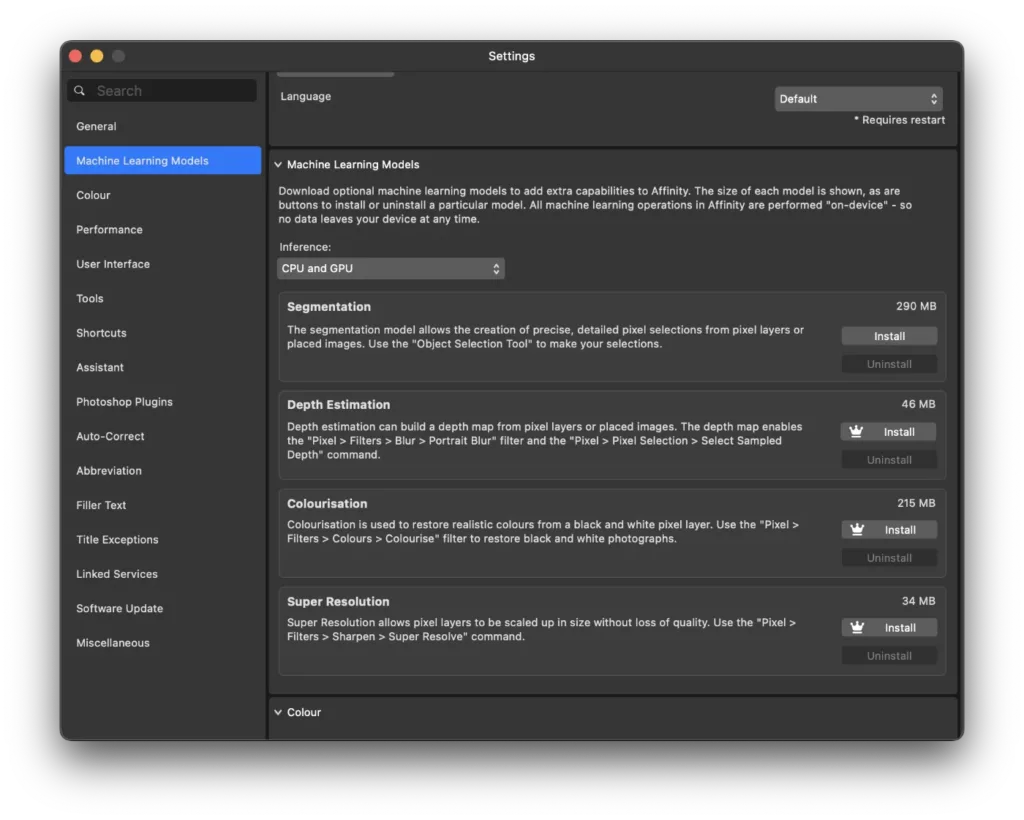
Well, the Segmentation ML Model is still available free, and there are some additions: Depth Estimation, Colourisation, and Super Resolution.
These additional downloadable Machine Learning Models are only available with a Canva Pro account. They have a crown icon on the Install button, indicating that they’re ‘premium’ features.
Is this an indication of what’s to come? Will new features require a Canva Pro subscription? We don’t have those answers as yet.
What About Affinity V2 Owners?
Canva has retained much of the V2 website at affinity.serif.com/v2/ The website says:
If you already own Affinity V2 apps, you can still use them, no problem. This website will continue to offer learning material and product support for V2 and full management of your existing account, purchases and downloads.
But not all users are convinced. They recall that Adobe closed down activation servers for Adobe CS 6 and earlier leaving users unable to install their software, and fear that the same will happen here too.
We don’t know what the future holds for V2. But until that day comes, Affinity V2 owners are fully able to use their apps under the same license as before, without restrictions.
About Affinity by Canva
Affinity by Canva is, by all appearances, a full featured app for photographers, illustrators, and designers. However, this is just a photography blog, so we will be looking only at the photography features. Unless we get feedback from readers, asking for more.
Affinity for Photographers
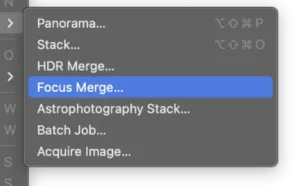
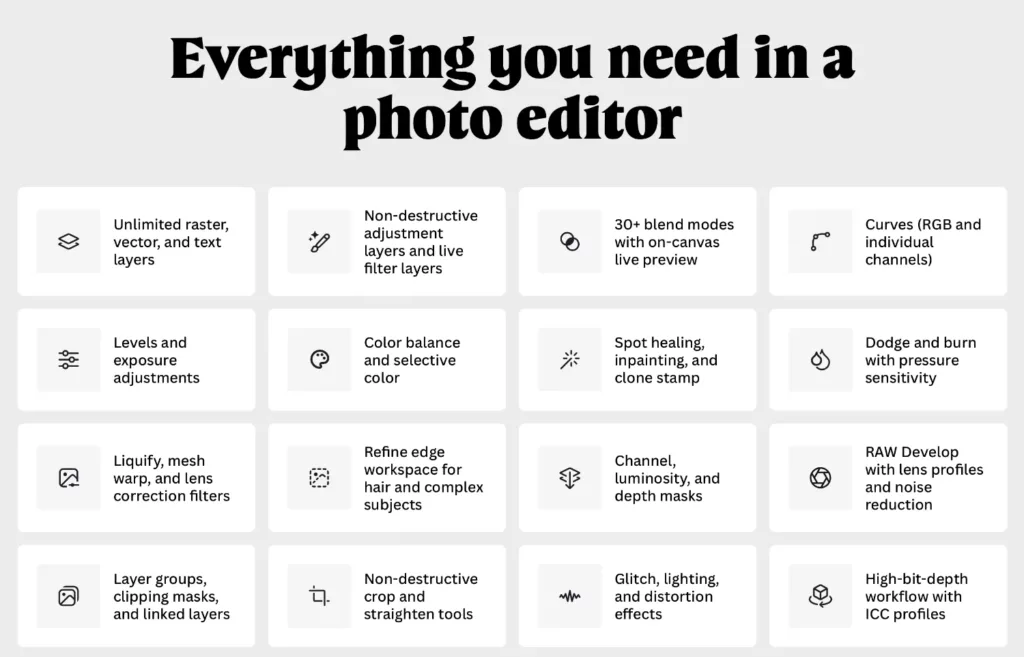
Affinity V2 users have been reassured that all the tools that they know, use, and love have been retained in the all-new Affinity app. I took a quick look around and it certainly seems like everything is still there with a few tweaks to the interface and maybe even some improvements.
All the important features develop, liquify, tone-map That used to be available as icons in Affinity Photo V2 are still available as buttons. All the non-destructive live filters are still there, RAW image processing, unlimited layers, PSD import, masking, it’s all there.
The app is quick to load, and takes about 794MB of RAM on my MacBook Pro, with no files open. Running off an Apple M3 Pro processor, the interface was snappy, and responsive. I’ve yet to try it out on an older computer, but that’s coming soon.
What Has Changed From Affinity Photo V2?
There is a new logo, the menu has changed, and the interface has changed a little.

The toolbar works a little differently and in my opinion is actually better than either Affinity version 2 apps or Photoshop. I like the ability to customise the toolbar as you would as you want it so that you don’t keep hunting for tools that are buried deep.
Rather than me explaining how this works in text, I would suggest that you watch the video that I had embedded at the beginning of this article, so that you can see how it works for yourself.
I’m sure regular users will find that their muscle memory is messed up, because this happens with any major app design changes.
As for the rest, it’s still early days and I have a lot left to explore. You can expect more detailed articles in the future, but for now my suggestion is to just download the app (it’s free) and try it out for yourself.
Affinity Add-ons
If you’ve bought add-ons from the Affinity store, with V1, or V2, you can access them by linking your Affinity ID with your Canva account. This can be undone if you want to.

To do this, click on your name at the ‘welcome’ screen > Advanced > Link Affinity ID.
A popup appears that allows you to link your Affinity ID by entering the associated email ID and password. The window also states:
If you purchased add-on content for Affinity 2 from the Affinity Store, you may access it by linking your Affinity ID and Canva account. This can be undone at any time.
Did They Keep Their Promises?
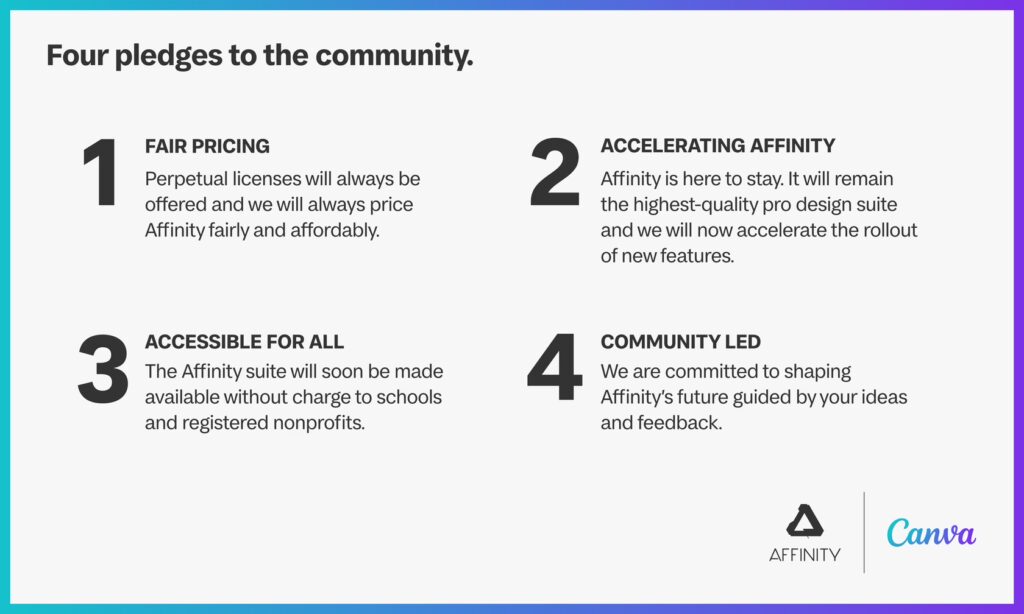
In my last article, I said that we would revisit these promises that they made to the community, after they announced the new Affinity version. So let’s do a quick analysis of the four points.
- Fair pricing: Nobody could ask for a fairer price than “free”. However, the point about perpetual licence is not clear at this time.
- Accelerating Affinity: I think that they certainly have upped the game for all design software by combining three different elements into one app. Each of these three tools has different intents and being able to combine them into one interface and one engine that isn’t supremely bloated is quite an achievement in my estimation. They have also integrated AI tools which is optional and in today’s world where AI is at the forefront of every single software and companies launches, I think they have shown remarkable constraint and not making AI take over their focus.
- Accessible For All: This they have certainly delivered on, and Affinity and Canva continue to have free non-profit, and school options.
- Community Led: Canva has developed the new affinity app in consultation with their Designer Advisory Board, a group of 8 working professionals from diverse backgrounds who have consulted with Canva and Affinity in the development of Affinity V3.
In short, I think that they have stayed remarkably true to these promises - and that is a good sign.
Overall, I am enthusiastic about the new app and the new direction that they have taken, and I look forward to see where this goes.
I welcome your thoughts and opinions. Please leave them in the comments below.
Related Posts
What's New in Affinity 3.2: What Photographers Actually Need to Know
Affinity 3.2 landed on April 16, 2026, just one month after the 3.1 update. Canva's development pace seems to have picked up since making Affinity free, and this release is the most substantial one yet for photographers…

Affinity is Free - How It Works!
Ever since the initial Affinity launch announcement on October 30th, this question has been circulating the web. How is affinity free? And how can Canva afford to make affinity free for everyone? Well, somebody had to…
Affinity System Requirements v3.2 (2026)
Affinity System Requirements for Image, Vector, and Layout editing. We tell you what computer can you use for working in Affinity by Canva.
Affinity Says: Creative Freedom is Coming…
Creative Freedom is coming… Announces a banner on the affinity.com website. What does this mean for Affinity suite users, and the community?