Beyond Phototips

Avatar

Photography for the Serious Amateur.

Pinhole Camera in Your Pocket

by Susheel Chandradhas

Most serious or semi-serious photographers have wanted to use a pinhole camera, but thought that it would be too complicated to make one themselves, or possibly just didn’t know how.

Now, if you’re interested, you could make one yourself, out of a matchbox, a tin can, curled binder plastic and a whole lot of tape.

MatchboxPinhole.com brings you a full-fledged tutorial in 9 simple steps:

  • What you’ll need
  • The Box
  • The Pinhole
  • Shutter
  • Clicker
  • Loading
  • Light-Proofing
  • Winder
  • Using

That’s it, and you’re on your way to taking photographs such as these:

Share this Phototip:
  • Digg
  • del.icio.us
  • StumbleUpon
  • Facebook
  • Twitter

Obvious Street Photography Tips

by Susheel Chandradhas

Sometimes we tend to forget the obvious in our quest for the hidden. Here are a few ‘obvious’ tips to remember when shooting on the streets.

  • Get In close. All too often the actual ’subject’ of a street photograph gets lost in the activity going on around… Get close to the subject, make them the primary object in your frame.
  • Be observant. Street photography is all about observing people, their actions and juxtapositions. Keep your eyes open, look for interesting connections.
  • Shoot a lot. I tend to shoot only when I’m sure that I know that I have a good shot in my frame. While this is a good practice, it can lead to missed opportunities. Shoot more frequently than you expect to shoot and weed out the boring shots when you download your pictures.
  • Don’t worry about the light too much. Concentrate on the people, your composition and your safety. Today’s cameras do a great job of metering a scene well. Use their readouts. Maybe even shoot in auto exposure mode.
  • Use a ‘normal’ sized camera. I’ve had a lot of people balk when I pick up my Canon EOS 5D with its 24-70mm lens and flash. They go into “hide” mode; feeling shy and possibly even worried. This is one of the reasons why I’ve moved down to a ‘toy’ like camera.
  • Use a Wide Angle lens. Being a participant brings you closer to your intended subjects. It can bring you right into the midst of the action. Keep a wide angle zoom or prime lens handy for these occasions.
  • Participate. Some of the best street photographs I’ve seen are those of people who are fully aware of the photographer. You’re more likely to get a memorable photograph when you’re part of the scene and reacting to the emotions and drama that is being acted out around you.
  • Know when to shoot candids. Candid photography on the street is one of its charms. Use the right equipment – long lenses, nondescript clothing and casual attitude – and you could get some gems.
  • Dress Normally. Gearing out like a “photographer” could lead to some hostility. Dress normally, keep your camera bag small and inconspicuous.
  • Worry about your camera at home. Concentrate on the street when you’re shooting. I prefer to choose my equipment carefully before leaving for a street shoot and not worry about what I “could have got” with some other equipment. When you’re on the street, make sure that you involve yourself in the scene as much as possible. Street photographs don’t need high-quality equipment to bring out the right emotion. Its all about the moment. Keep it that way, and you’ll find yourself reacting to the right elements; People – not your equipment.
  • Know how your equipment works. Street photography is very spontaneous and a moments fumble with the controls can leave you wishing you were quicker with your equipment.
  • Carry your camera inconspicuously, but not suspiciously. This will give you opportunities in street photography that you would not expect. Be casual about the camera and keep it away from your face as far as possible. Try to avoid looking like a “photographer.” As a side effect, trying to hide your camera and sneaking a photograph in when possible may make you look suspicious. Like I said, be casual about the camera.

Obviously, one can go on and on about street photography tips. If you think that there are some more obvious tips that I’ve missed out, do leave them in the comments.

I’ll leave you with some interesting links on Street Photography

Share this Phototip:
  • Digg
  • del.icio.us
  • StumbleUpon
  • Facebook
  • Twitter

Photography, Is Flash Bad for Babies?

by Susheel Chandradhas

This is an article written by a good friend, about what he’s learnt about flash photography and babies. Do read on…

This sort of question always comes up with anything that is new, that we are not used to. For e.g. would you stop using mobile phone as some claim that it could cook your brain (we all use micro-waves to warm foods)? Some even warn that micro-waving food is also damaging to your health. I have no idea, and I am cautious. As I believe research done that proves wrong are usually funded by a company that has commercial interest in selling micro-wave devices.

Anyway, I am sometimes inundated in my email with the pictures that new parents take. Either they are too excited with their newly purchased digital camera or their new comer. Of course, we all would like to have pictures – loads of them; especially, of when we were babies, when we looked beautiful.

But how much is too much? No one seems to know that either. All I know is a little bit of photography and I think that the following Do’s and Don’ts could help mitigate the effect of the intimidating SLRs on the babies.

Do’s

  • Avoid using Flash. Make sure you have proper light coming in while taking pictures. Goes without the saying that the good time to take the picture is the day time.
  • Use big apertures (i.e. smaller numbers) to let enough light in.
  • Use faster ISO such as 400, but it would bring in more noise. You can get less noisy pictures by using slow ISO such as 100, but best taken when you have a tripod.
  • Use longer exposure (this is the shutter speed) while indoors. Longer the better but too long not good. Again using a tripod is advised.

Don’ts

  • Do not use flash in a dark room and while she is awake. I do not know whether it is harmful to the eye, but I feel irritated and I am sure the babies do too.

Nobody seems to be conclusive on how bad the Flash is on the fragile eyes, in any case I would avoid it; after all his/her well being is important.

At last, the easy way to do is, you can tell the camera to turn off the flash, buy yourself a tripod and a zoom lens. This will be less intimidating to the child and you will be guaranteed to get stunning pictures which will tell the story for life.

But one thing that I always have problem with, I do not know how to command the baby to stay still, do you know how?

Happy taking pictures.

Share this Phototip:
  • Digg
  • del.icio.us
  • StumbleUpon
  • Facebook
  • Twitter

Simple Photoshop Effects

by Umesh Gopinath

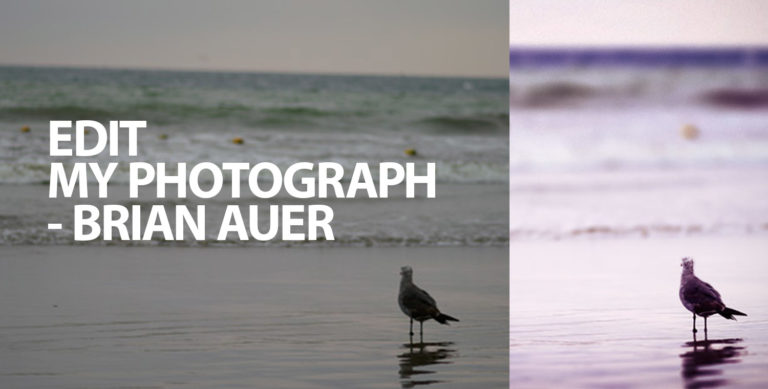
Pic 1I’m amazed at Susheel’s ability to take pictures using his amazing camera, lenses and filters and his ability to edit his pictures in RAW format. He is a thorough professional but me – I’m an amateur with some decent knowledge about compositions. I use a small point and shoot Sony digital camera and I have loads of limitations in what I can do with it. What I usually do is to shoot pictures using unconventional angles, white balances and aperture settings, edit them in Photoshop and make them better looking. Let me tell you that I’m also not a pro in Photoshop. But I know some simple tricks using which I can give different effects to the photo I have taken. Pic 2I use all of them and decide on an effect which gives the picture the maximum impact.

This is a picture of my cousin Niki I shot some time back using my point and shoot camera when he was on the beach (The first pic in the series). The photo got over exposed but I liked the camera angle and also the overexposed sky which is giving a white bg to my subject. I decided to work on this picture in photoshop to give it some effect and make it look better.

I opened the file in photoshop and as the first step I adjusted the levels using Image > Adjustments > Auto Levels on the menu bar. Then I corrected the picture a little more by adjusting the levels manually using Image > Adjustments > Levels. Pic 3Moved around the sliders till I got satisfied with the subject’s look (Second Pic).

To give the subject a stylish look I duplicated the layer on which the picture was there and changed the layer type to hard light for the duplicated layer which is on top and played around with the opacity a bit. It looked better now (Third Pic).

If anyone remembers the posters of the movie Kal Ho Na Ho there was a strange black and white yet color effect which had been given to the photographs. I decided to try that effect on this pic by selecting the layer below and simply doing Image > Adjustments > Desaturate. Pic 4Ah I got another effect now (Fourth Pic).

I wanted to try out another effect too to compare all three versions so I reverted back to the version just before me desaturating the layer. I was not sure what effect to try then I remembered Susheel’s soft focus trick using filters. I wanted to get that effect on this picture so I selected the layer below and did Filter > Blur > Gaussian Blur. Keep the radius of the Gaussian blur a moderate 2.5 pixels. I had to also change the opacity of the top layer to 100% and I got this effect (Fifth Pic).

Pic 5I have no idea if the effects I explained here were good enough for your pics or made any sense to most of you but believe me every time you try a variation of the settings I explained you get a new effect for your pic. How you make use of them is the key. Just try it out and let me know if you got a brand new effect. Please note that these tiny tricks are for amateurs like me, the professionals will have a better idea on how to do photo correcting in their own better ways.

Umesh is a User Experience Designer who is interested in photography. Check out his blog White Space.

Share this Phototip:
  • Digg
  • del.icio.us
  • StumbleUpon
  • Facebook
  • Twitter

Learn How to use Photoshop

by Susheel Chandradhas

I’ve often heard people look at a photograph exclaim, “Oh, that’s photoshop!” when what they really meant was “Oh, that’s retouched!” making the name “Photoshop” synonymous with “digital retouching”. Now, Photoshop is by no means easy to learn and the newbie can be quite intimidated by it, so having someone teach you how to use it is a great help.

Photowalkthrough.com is a great way to learn how all this retouching is done. Hosted by John Arnold, Photowalkthrough is a video Podcast that shows you how you can process your digital images in Photoshop and other programs. John explains how to use photoshop’s tools and explains various techniques in an un-hurried, in-depth fashion. Each photograph is typically worked on over the course of 3-4 shows and you can watch as each decision that John takes leads to the final processed image. I vote a big thumbs up for this podcast!

If you ‘re interested in subscribing, head on over to www.photowalkthrough.com or go to the iTunes store and search for the podcast through iTunes.

Share this Phototip:
  • Digg
  • del.icio.us
  • StumbleUpon
  • Facebook
  • Twitter

Continue

Featured Series

Looking for something more? Take a look at these series of posts that Beyond Phototips is running right now.